What is a Server?
It is a software program that manages resources over a network. The whole network could be visualized like this:
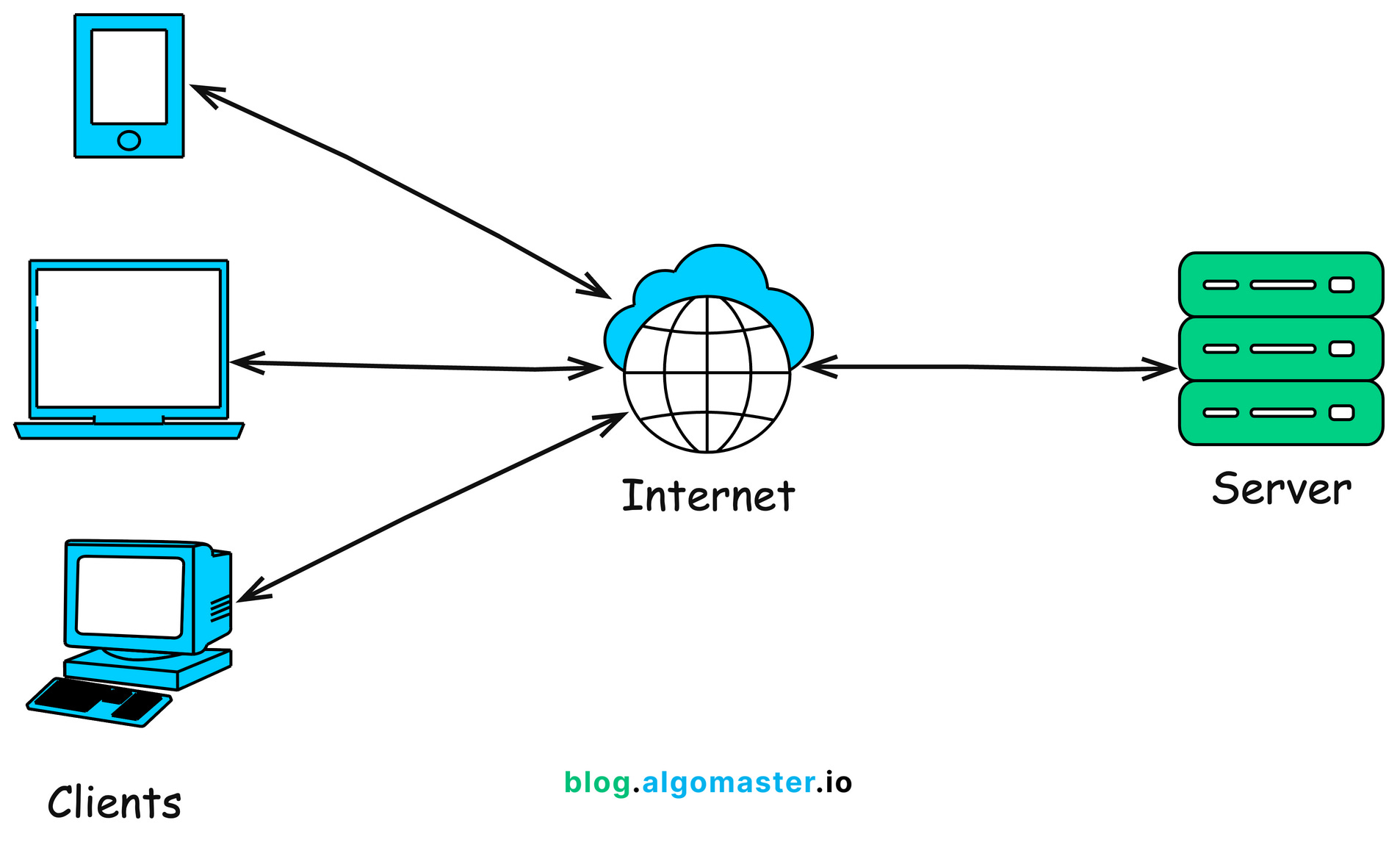
Today we are writing a server.
A dumb one, at first. We’ll benchmark the load handling of the server. And then we optimize.
Difference between websockets and a http server model WebSockets maintain a persistent, stateful connection where both client and server can continuously exchange data. In a traditional HTTP model, the client usually sends a request, receives a response, and the connection is then closed.
dumb server
we will make use of socket library in python. It creates a TCP socket connection.
import socket


HOST = 'localhost'  # Standard loopback interface address (localhost)
PORT = 8080        # Port to listen on (non-privileged ports are > 1023)
with socket.socket(socket.AF_INET, socket.SOCK_STREAM) as s:
    s.bind((HOST, PORT)) # bind the socket to host and port
    s.listen() # listeno for connections
    print(f"server listening on {HOST}:{PORT}")
    while True:
        conn, addr = s.accept() # accept a connection
        with conn:
            print(f"CONECTION FROM {addr}")
            data = conn.recv(1024) # receive data from the client 1024 bytes at a time
            request_line = data.decode().split('\r\n')[0] # get the first line of the request
            print(f"RECEIVED REQUEST: {request_line}")
            response = "HTTP/1.1 200 OK\r\nContent-Type: text/plain\r\n\r\nHello, World!" # create a simple HTTP response
            conn.sendall(response.encode()) # send the response to the client
            print("SENT RESPONSE: Hello, World!")
This is our server software program. We’re listening on localhost:8080. After a connection is made, we recieve the data 1024 bytes at a time.
And we send a 200 response along with a “hello world” text, to all the connections. That’s why the conn.sendall().
This server takes connections sequentially and hence will be slow under load.
There are some ideas that we can make use of:
- Threads
- asynchronous programming
thread-ed server
Idea here is simple:
create multiple threads for multiple connections. One thread handles one connection.
Cons are that you will have to create a LOT of threads if the load is heavy.
Here’s a simple implementation of a server that reverse text from json and sends a response.
import socket
import json
import threading

HOST = 'localhost'
PORT = 8080
endpoint = "/reverse"

def handle_connection(conn, addr):
    with conn:
        try:
            data = conn.recv(1024)
            request_line = data.decode().split('\r\n')[0]
            if request_line.startswith(f"POST {endpoint}"):
                body = data.decode().split('\r\n\r\n')[1]
                json_data = json.loads(body)
                rd = [x[::-1] for x in list(json_data.values())]
                rev_json = json.dumps({"data": rd})
                response = f"HTTP/1.1 200 OK\r\nContent-Type: application/json\r\n\r\n{rev_json}"
                conn.sendall(response.encode())
            else:
                response = "HTTP/1.1 404 Not Found\r\nContent-Type: text/plain\r\n\r\nEndpoint not found"
                conn.sendall(response.encode())
            print(f"CONNECTION FROM {addr} HANDLED SUCCESSFULLY")
        except Exception as e:
            print(f"ERROR: {e}")

with socket.socket(socket.AF_INET, socket.SOCK_STREAM) as s:
    s.setsockopt(socket.SOL_SOCKET, socket.SO_REUSEADDR, 1) # to close the socket immediately after the program ends
    s.bind((HOST, PORT))
    s.listen()
    print(f"server listening on {HOST}:{PORT}")
    while True:
        conn, addr = s.accept()
        thread = threading.Thread(target=handle_connection, args=(conn, addr))
        thread.start()
A lot of lines here are boilerplate for socket programming. They have meaning, but the logic is hidden in there.
request_line.startswith(f"POST {endpoint}"): we’re checking if the request is a POST request.- we create a handle_connection function that we give to indiviual threads. As soon as a new connection is made, a thread is spawned to handle the request.
load testing tool
We use wrk to test load on the server.
the command we will use is
wrk -t4 -c1000 -d10s -s post.lua http://localhost:8080/reverse
here, we are using 4 threads that send 1000 connection requests each with a 10 sec delay to localhost:8080/reverse endpoint.
Here are the numbers for thread server:
(base) Forge:inferenceServer\ $ wrk -t4 -c1000 -d10s -s post.lua http://localhost:8080/reverse
Running 10s test @ http://localhost:8080/reverse
  4 threads and 1000 connections
  Thread Stats   Avg      Stdev     Max   +/- Stdev
    Latency    60.09ms  136.42ms   1.91s    96.00%
    Req/Sec   416.01    170.53     1.18k    73.75%
  16572 requests in 10.05s, 1.11MB read
  Socket errors: connect 0, read 16572, write 0, timeout 33
Requests/sec:   1649.56
Transfer/sec:    112.77KB
1650 requests per second with a 60 ms latency.
That’s not bad. But we can do better.
async-ed server
Idea here is this: in the threads version we were spawning n threads for n connections, which spike up the RAM and is not the most memory efficient. In our async program, the idea will be wait-and-hold. We will tell the program to wait while the code is being executed and handle other connections meanwhile.
This works because think about what happens when you make a request in synchronous programming - you wait, till you get a response back from server. There’s, in short, a lot of waiting.
And we optimize that in async programming.
“Until we get a response, go and handle other requests”.
Here’s a simple async server in python
# imports
import asyncio
import json

HOST = 'localhost'
PORT = 8080
endpoint = "/reverse"

# async func: can wait in between without needing to return.
async def handle_connection(reader, writer):
    '''
    do standard fetching of request
    '''
    try:
        data = await reader.read(1024)
        request_line = data.decode().split('\r\n')[0]
        if request_line.startswith(f"POST {endpoint}"):
            body = data.decode().split('\r\n\r\n')[1]
            json_data = json.loads(body)
            rd = [x[::-1] for x in list(json_data.values())]
            rev_json = json.dumps({"data": rd})
            response = f"HTTP/1.1 200 OK\r\nContent-Type: application/json\r\n\r\n{rev_json}"
        else:
            response = "HTTP/1.1 404 Not Found\r\nContent-Type: text/plain\r\n\r\nEndpoint not found"
        writer.write(response.encode())
        await writer.drain()
    except Exception as e:
        print(f"ERROR: {e}")
    finally:
        writer.close()
        await writer.wait_closed()

async def main():
    server = await asyncio.start_server(handle_connection, HOST, PORT) # start the server
    print(f"server listening on {HOST}:{PORT}")
    async with server:
        await server.serve_forever() # infinite serving till we stop the server

asyncio.run(main())
NOTE: to REALLY understand the difference between async and thread server, we need to imitate a heavy server. we use time.sleep(3) to do that.
that’s because if we don’t do that, the difference will be minute. Although as we’ll see, the difference is still there.
Numbers for async server:
(base) Forge:inferenceServer\ $ wrk -t4 -c1000 -d10s -s post.lua http://localhost:8080/reverse
Running 10s test @ http://localhost:8080/reverse
  4 threads and 1000 connections
  Thread Stats   Avg      Stdev     Max   +/- Stdev
    Latency    15.87ms   58.73ms 831.44ms   96.62%
    Req/Sec     2.86k     1.18k    6.50k    68.67%
  113769 requests in 10.04s, 7.60MB read
  Socket errors: connect 0, read 113769, write 0, timeout 0
Requests/sec:  11326.42
Transfer/sec:    774.28KB
11326 requests/sec with 16 ms latency!
compare that to the threaded version:
1650 requests per second with a 60 ms latency.
That’s a 7x speedup!
conclusion
That was a study between synchronous, threaded and async servers. In the future, we will build an inference server :
“Forge”
Thanks for reading
~ Aayushya