All of my roommates have their WhatsApp notifications off and have headphones on—24x7.
There is no way you can communicate with them.
Until I figured out they use my hotspot.
So for fun, I built Pulse. Pulse is a lightweight, LAN-based chat and event-broadcasting system. It allows users on the same network (e.g., a mobile hotspot) to chat seamlessly via UDP broadcast.
In brief, here is what happens now:
pulsed) on all my friends’ PCs (who are obviously connected to my hotspot because they don’t pay for their own) will catch that packet and store it in their history. A notification daemon will then send them an alert saying, “Hey, a new message arrived!”
Pretty simple, right? It is.
Let’s discuss how I made it. This was a lovely weekend project!
System Architecture
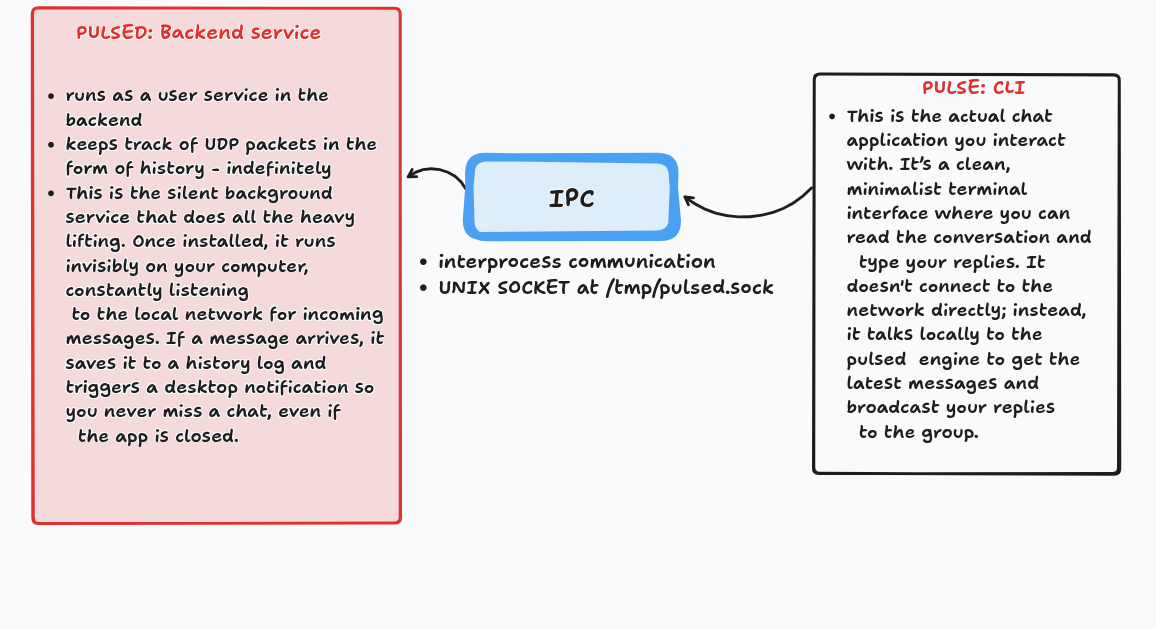
There are two main components in play here:
- Pulsed: The background engine.
- Pulse (without the ’d’): The CLI.
- IPC: Interprocess communication between the
pulsedengine and the CLI(s).
The whole system is written in Go.
Let’s discuss how each of them works.
Pulsed: The Engine
The problem was: I wanted to start a “service” in the background on my roommates’ PCs that could listen for packets on my hotspot’s network. Since all my lovely roommates are now on Linux (I obviously did not force them to switch from Windows to Linux, lol), I could essentially run what is called a user service on their PCs.
Here is what this service’s job would be:
- Listen on
:9999for UDP packets from the LAN -> Straightforward. Listen on the port for UDP packets. - Send outgoing messages by broadcasting to
255.255.255.255:9999-> Whenever the CLI (client) sends a message, broadcast it to the network via UDP. - Keep the last 200 messages in memory -> While this service is running, it uses a sliding window technique to keep the last 200 messages in its history.
- Track how many CLIs are currently connected -> The engine maintains a
Clientsstruct, which is essentially a map containing the connected clients. This way, it knows exactly how many terminal windows are open and pushes all new texts to those specific screens. - Notify via
notify-sendonly when zero CLIs are connected -> If there is no CLI attached—meaning my friends have not opened their terminals and are quietly trying to ignore my texts—pulsedwill notice and trigger a desktop notification. This way, they get notified that someone pushed a packet, regardless of whether they have the CLI open or not.
Pulse: The CLI / Frontend
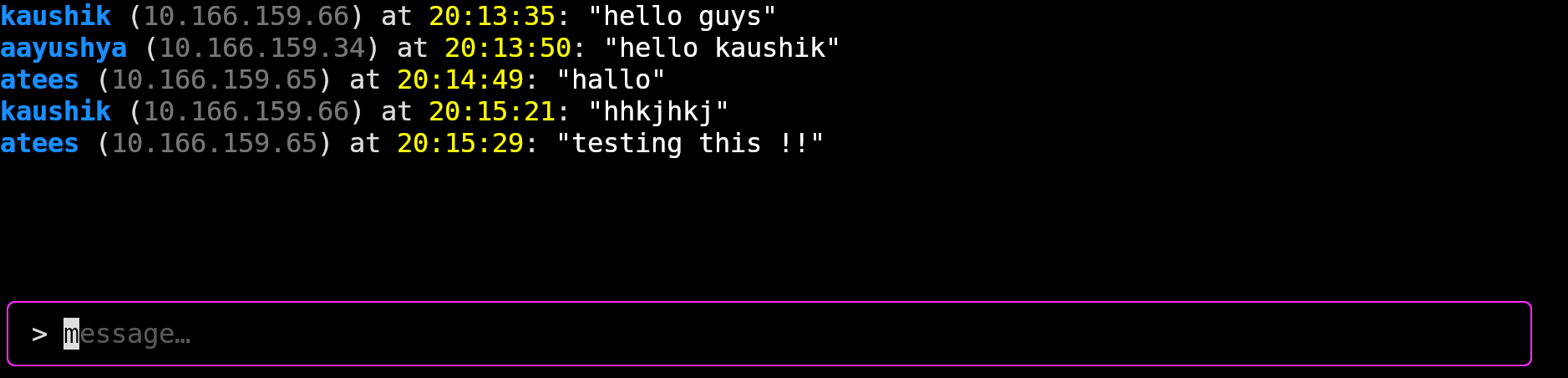
This is a clean TUI (Terminal User Interface) that accesses the pulsed engine via IPC.
IPC (Interprocess Communication)
To connect the backend and frontend, we need a way for the backend service to communicate locally with however many clients (terminals) are currently open. We use the concept of Unix sockets to handle this mechanism.
Unix sockets (also known as Unix domain sockets or IPC sockets) are a mechanism for interprocess communication (IPC) that allows bidirectional data exchange between processes running on the same computer.
The path I use in the code is: /tmp/pulsed.sock.
Via this path, pulsed shares its history with the CLI, and the CLI shares the user’s text with pulsed so it can be broadcast over the network.
Flow of the System
You can download the executable from GitHub, or just run the command below in your terminal:
curl -fsSL https://raw.githubusercontent.com/aayushyatiwari/pulse/main/install.sh | bash
You will be dropped into the initial setup prompt for Pulse, which looks like this:
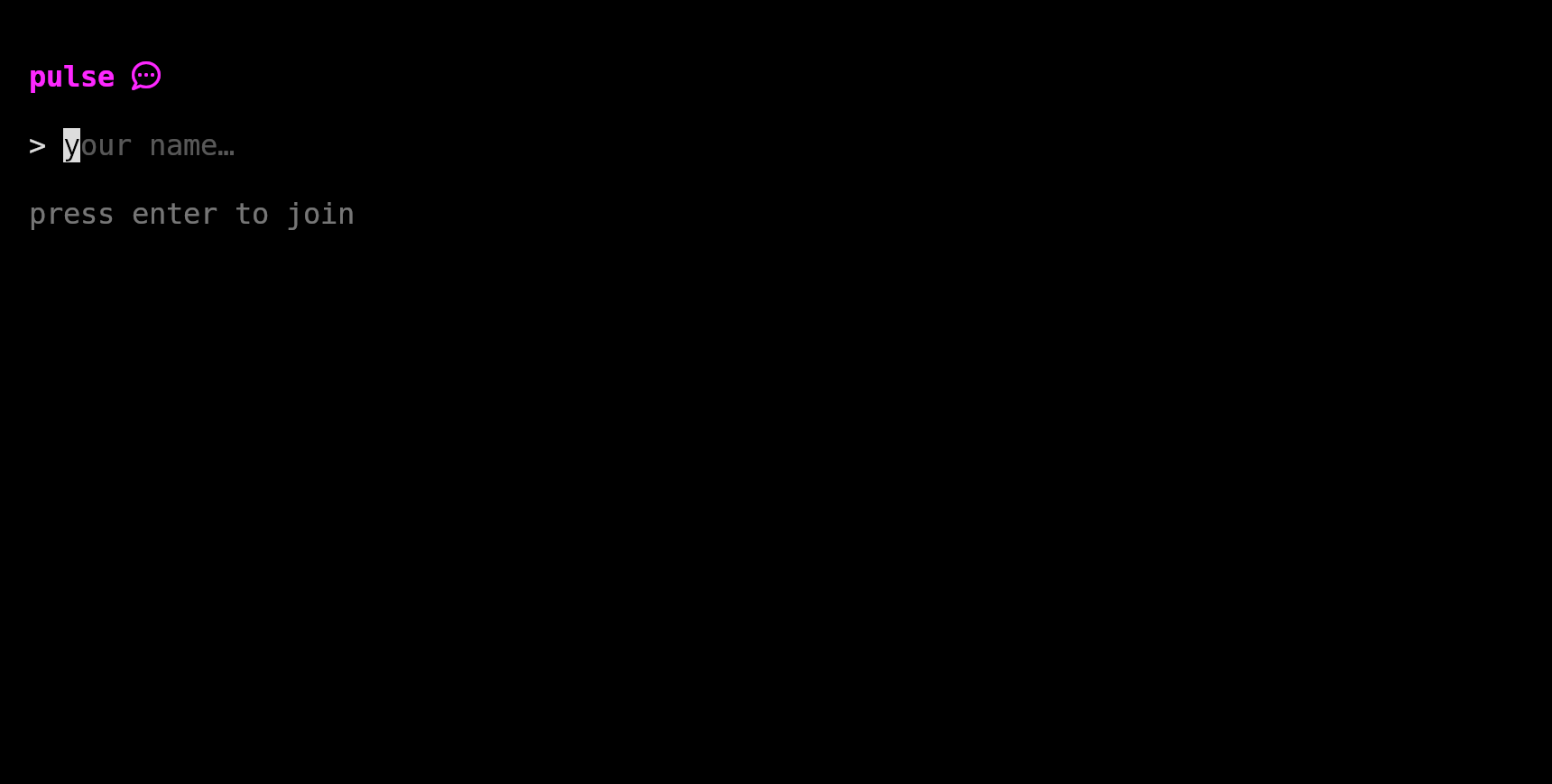
Your chosen name is then stored in your ~/.config/pulse/name.txt file.
And boom, done. You’re on the network!
Goroutines: How Pulse Multitasks
At the heart of Pulse’s lightning-fast performance is Go’s concurrency model, specifically goroutines. In a traditional, single-threaded program, the code executes line by line; if the program stops to listen for an incoming network message, the entire application “freezes” until that message arrives. Pulse avoids this entirely by spinning up multiple, lightweight background threads—called goroutines—that run simultaneously.
When the pulsed background daemon starts, it doesn’t just do one thing. It spins off one goroutine to endlessly guard the local Unix socket, waiting for you to open a chat terminal. It spins off another dedicated goroutine to constantly monitor the UDP network port (9999) for incoming messages from your friends.
Because these tasks run concurrently, they never block each other. When you open a new pulse chat terminal, the daemon instantly accepts the connection and spins up yet another goroutine exclusively tasked with reading what you type. This allows the daemon to juggle dozens of tasks at once—catching a UDP packet from a friend, saving it to history, triggering a desktop notification, and pushing the text to your screen—all in a fraction of a millisecond.
Different Goroutines in Pulse
There are four primary goroutines in this system that work independently.
1. The Main Goroutine
This runs the moment you start backend/main.go. It initializes the history buffer and the clients map, starts the other worker goroutines, and then essentially sleeps infinitely to keep the program alive until you stop the service.
2. The UDP Listener (go ListenUDP)
This goroutine is also spun up in backend/main.go. Its sole job is to stare at the network card on UDP port 9999. It sits in an infinite loop (in the code, it looks like for {}), waiting for a packet to arrive on that port.
- When a packet arrives, it instantly wakes up.
- It parses the message and saves it to your
History. - It pushes the message to all local terminal screens via
clients.Broadcast(). - If no terminal screens are open (
clients.Count() == 0), it fires a desktop notification. - Then, it immediately goes back to staring at the port for the next packet.
3. The Local Socket Server (go StartServer)
This goroutine is spun up in backend/main.go.
- When you type
pulsein your terminal, this server accepts the connection via the Unix socket. - It hands that new terminal all the missed messages from
History. - It registers the terminal in the
Clientsmap. - Finally, it hires a dedicated worker (see below) just for that specific terminal, and goes right back to waiting for the next terminal to connect.
4. The Client Input Reader (go sendDataOverUDP)
Spun up in backend/server.go using go sendDataOverUDP(...).
Every single time you open a new pulse chat window, the Socket Server creates one of these goroutines specifically dedicated to that window.
- It sits in an endless loop staring at your terminal window, waiting for you to type something and hit Enter (
scanner.Scan()). - The moment you hit Enter, it takes what you typed and blasts it out to the Wi-Fi hotspot over UDP.
- If you close the terminal window, this specific goroutine detects the disconnection and quietly kills itself to save memory.
Bottlenecks of this System
Obviously, for a personal LAN or mobile hotspot, this works flawlessly. But if we tried to scale this up to production, it would face several problems:
- No Authentication: There is no system handling authentication. Anybody could impersonate someone else and drop texts into the network, and we would have no cryptographic way to verify if they are the real person or not.
- 200 Message History Limit: Although 200 messages is a decent amount for smaller chat groups, a production system would need a database to handle much larger, persistent histories.
- Blocked on Larger Networks: University networks, corporate networks, and public Wi-Fi will often outright block UDP broadcast packets to prevent network congestion, meaning we couldn’t really use this system there.
- UDP Packet Loss: Because UDP is a “fire and forget” protocol, if the network connection drops for even a second, a packet could be permanently lost without the engine ever knowing. A production app would likely use TCP or implement a retry mechanism to ensure messages are reliably delivered.
Conclusion
You can read the code or download the software at https://github.com/aayushyatiwari/pulse
If you also live with roommates, share the same network, and use Linux machines, you can download this software on their PCs and yours—and Pulse will be all yours to play with!
Safe to say, my friends don’t ignore my texts anymore, lol.
~ Aayushya