I have two screens. One is small. And sometimes I don’t like doing Control ++++ to increase the font and decreasing it. Heck since I am on linux and change terminals and softwares VERY frequently, there are different different shortcuts for changing sizes. I don’t like it.
So, I built magnify-go inspired by an open-source software written in an ancient programming language Nim called Boomer by Tsoding.
He wrote Boomer 7 years ago. In Nim. A programming language I don’t think you’ve heard the name of. I won’t comment on if it’s useful or not since I have no experience writing Nim.
So I wrote one for myself. In go-lang.
the software
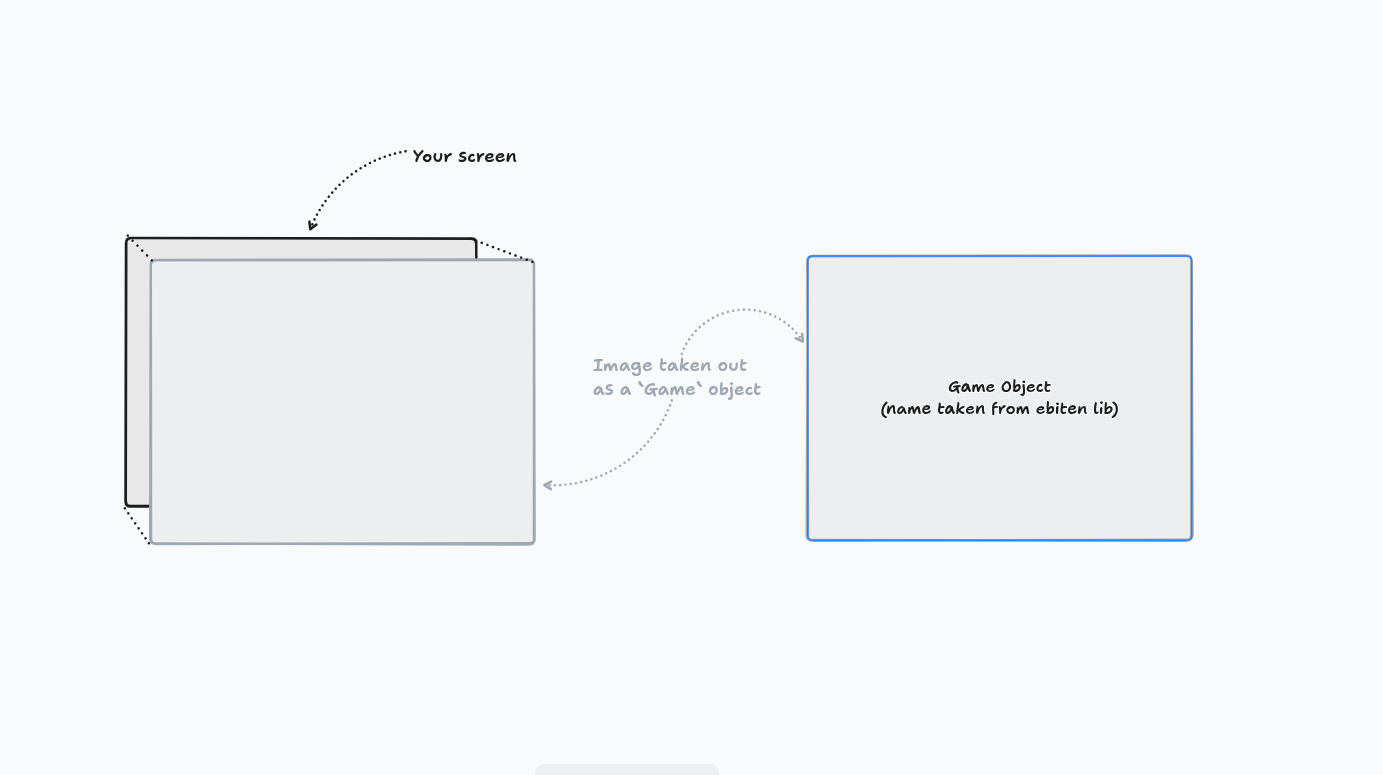 the architecture
It’s just one go file and one .kage file. I have used a brilliant library called ebiten and to take screenshot I have used screenshot lib in go.
the architecture
It’s just one go file and one .kage file. I have used a brilliant library called ebiten and to take screenshot I have used screenshot lib in go.
What’s interesting about this is the interaction with i3-wm.
There’s a lib called go-i3 which handles all the code’s interaction with i3-wm via IPCs and so I don’t have to write manual IPC connections.
Why do you need to talk to i3-wm?
If you’ve used i3, you’d know that there’s a configuration setting called focus_follows_mouse. Which basically means all the windows that my mouse goes to, focus shifts to it.
So what I did was I “talked” to i3-wm and in code, I ask it “which screen is currently in focus?” Just that.
You can think of Game object as an image only but with some other data. You’d write a dataclass if this was in python.
It looks like this:
// defining game struct
type Game struct {
	img           *ebiten.Image
	shader        *ebiten.Shader
	tmp           *ebiten.Image
	flashlightOn  bool
	flashlightRad float64
	zoom          float64
	centerX       float64
	centerY       float64
	dragging      bool
	lastMouseX    int
	lastMouseY    int
	screenW       int
	screenH       int
}
Every frame — 60 times a second — we run three methods (which are interfaces from the ebiten library):
- Layout: tells ebiten how big the drawing canvas should be. Mostly a no-operation method after the window size settles once at startup.
- Update: scans for user clicks and updates the values accordingly. for example: if you click control and use mouse wheel, the radius of the flashlight will increase resulting in the change in current window center coordinates.
- Draw: after every update, draws the game object on the screen.
All three run on a single goroutine, which ebiten pins to the OS main thread. Necessary because a graphics context can only safely be touched from the one specific thread that created it.
conclusion
Finally, I bind this software in my i3-config and using a shortcut i can read small texts from my laptop’s small screen without needing to bend my head like an ostrich!
~ Aayushya